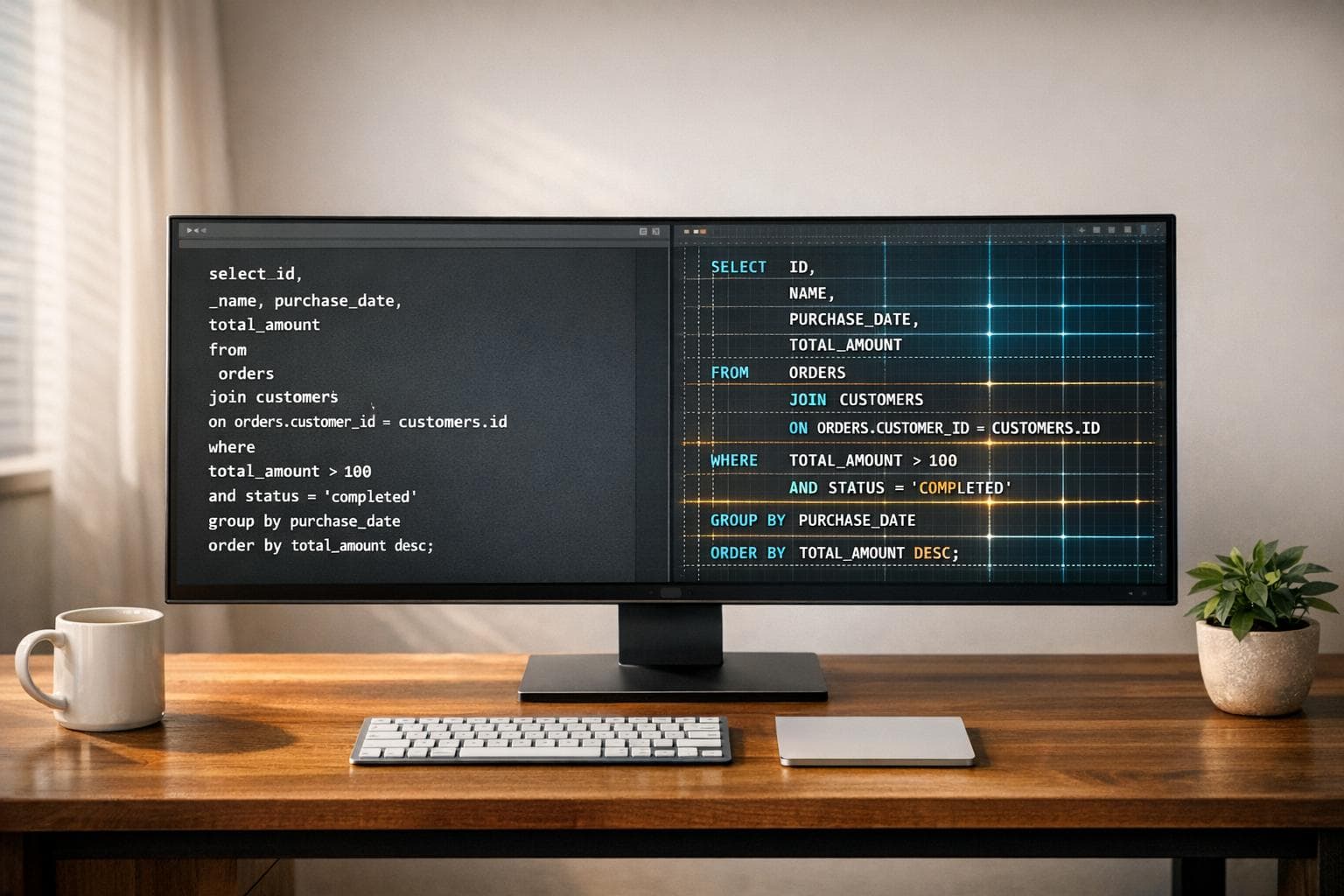
SQL Query Formatter for Data Engineers
Polish Your Code with a SQL Query Formatter
For data engineers, readable SQL code isn’t just a luxury—it’s a necessity. When you’re knee-deep in complex queries, the last thing you need is a wall of unformatted text staring back at you. That’s where a reliable SQL beautifier comes in, turning chaotic scripts into structured, easy-to-follow masterpieces. Whether you’re sharing code with a teammate or debugging a tricky join, having neatly aligned clauses and consistent indentation can save hours of frustration.
Why Formatting Matters
Think about the last time you inherited a messy database script. Hard to decipher, right? Tools designed for formatting SQL queries help eliminate that headache by standardizing how keywords, line breaks, and spacing appear. It’s not just about aesthetics; it’s about efficiency. A well-organized query lets you spot errors faster and makes collaboration smoother. Plus, when your code looks professional, it reflects well on your work. If you’re a data professional looking to streamline your workflow, using a dedicated formatting utility is a game-changer. Give it a try, and watch how much easier your day gets!
FAQs
Does this tool support different SQL dialects?
Yep, it does! Our SQL Query Formatter is built to handle popular dialects like MySQL and PostgreSQL. It recognizes the unique syntax quirks of each, so your formatting stays consistent no matter what system you’re working with. If there’s an edge case or something unusual, it’ll still do its best to make the code readable.
Can it detect syntax errors in my SQL code?
Absolutely. While the main goal is formatting, our tool also flags basic syntax errors if it spots something off—like a missing comma or unmatched parentheses. It’s not a full-blown debugger, but it’s a handy first line of defense before you run the query on your database.
Is there a limit to the size of the SQL query I can format?
Not really! We’ve designed the tool to handle everything from short snippets to massive multi-line queries. That said, if you’re pasting something truly enormous, it might take a second or two to process. Just hang tight, and you’ll get that beautifully formatted output in no time.