
Top Tools for Data Lakehouse and Data Warehouse
Looking for the best tools to manage your data? Here's what you need to know:
Modern businesses often choose between data warehouses, data lakes, and the newer data lakehouses. Each serves a specific purpose:
- Data Warehouses: Optimized for structured data and SQL-based analytics (e.g., business intelligence).
- Data Lakes: Store raw, unstructured data but lack governance and SQL performance.
- Data Lakehouses: A hybrid solution combining the strengths of both, supporting SQL, machine learning (ML), and streaming workloads with strong governance.
Why does this matter?
By 2025, 75% of organizations were expected to modernize their data platforms to keep up with real-time decision-making and AI readiness. Tools like Databricks, Snowflake, BigQuery, and open-source solutions are leading this space.
Here’s a quick guide to help you decide:
- Databricks: Best for ML and data engineering-heavy teams.
- Snowflake: Ideal for SQL-focused teams needing simplicity.
- BigQuery: Suits GCP users with spiky workloads.
- Redshift: Works well for AWS-native teams.
- Dremio/Starburst: Great for open, vendor-neutral setups.
Key Considerations:
- Look for compute-storage separation to save costs.
- Prioritize open data formats like Apache Iceberg for flexibility.
- Ensure strong governance for compliance and security.
Pro Tip: Start small, test with real workloads, and evaluate costs carefully.
Snowflake Vs. AWS RedShift Vs. GCP BigQuery Vs. Azure Synapse for Data Warehousing!
How to Evaluate Data Lakehouse and Warehouse Tools
Choosing the right platform can be overwhelming, especially with so many options vying for your attention (and budget). To make an informed decision, focus on key aspects like architecture flexibility, query performance, governance maturity, AI/ML readiness, and total cost of ownership. These factors serve as the foundation for evaluating your options.
Core Features to Look For
One of the most critical architectural features to prioritize is the separation of compute and storage. Why? Because this setup allows you to scale processing power independently from storage needs. That means you’re not stuck paying for idle computing resources when all you need is storage capacity.
Another must-have is support for open data formats. Platforms that work seamlessly with formats like Apache Iceberg, Delta Lake, or Apache Hudi give you the flexibility to switch compute engines without the headache of migrating your data. As Zendikt Editorial explains:
"Iceberg as the default open table format means buyers can finally separate storage from compute vendor in production." - Zendikt Editorial
Modern tools should also be equipped to handle AI/ML workloads natively. Look for features like vector search, large language model (LLM) functions, and integrated model training. These capabilities eliminate the need for separate machine learning environments, streamlining your workflows. Professionals can further master data engineering and AI to leverage these advanced features effectively.
Finally, don’t overlook governance and cost considerations, as they can significantly impact your platform’s long-term value.
Governance, Security, and Cost Factors
For businesses in regulated industries, compliance is non-negotiable. U.S. regulations like HIPAA, PCI-DSS, and FedRAMP often require higher-tier pricing plans. For instance, Snowflake’s "Business Critical" edition is necessary for HIPAA BAA eligibility and costs about $4 per credit, which is double the price of its Standard tier at $2 per credit. Be sure to account for these compliance-driven costs when evaluating platforms.
Governance features such as row-level security, column-level masking, and data lineage tracking should be built into the platform from the beginning. Retrofitting these capabilities later can be both complicated and expensive.
When it comes to costs, watch out for hidden fees. Charges for data egress and migration can easily add up. For example, migrating a 50 TB warehouse might cost anywhere from $80,000 to $250,000 in engineering time alone, once you factor in pipeline adjustments and BI tool reconfiguration. Additionally, pricing models can vary widely between vendors - some use credits, others rely on DBUs, RPU-hours, or bytes scanned. To compare platforms accurately, you’ll need to normalize these pricing units and do the math yourself.
Top Data Lakehouse and Data Warehouse Tools
Top Data Lakehouse & Warehouse Tools Compared (2025–2026)
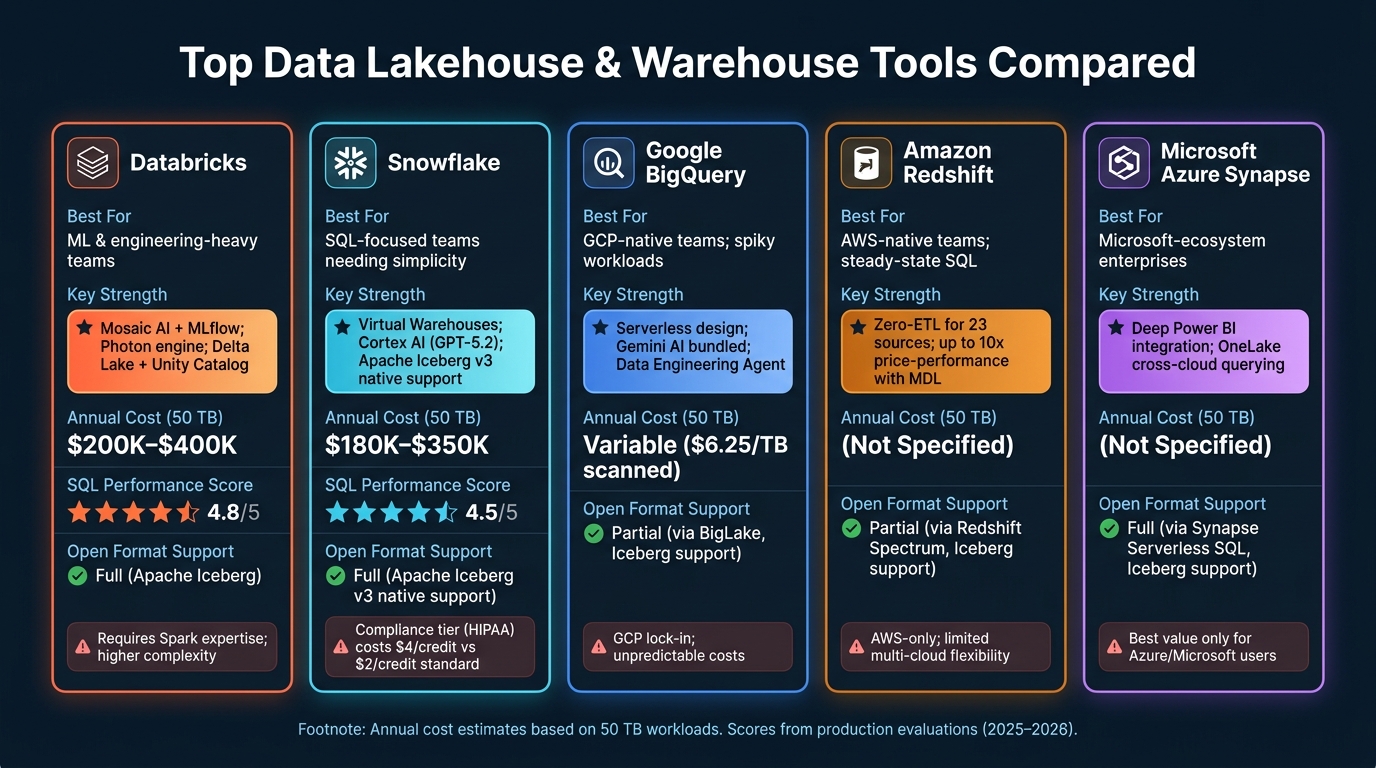
With evaluation criteria in mind, let’s dive into how the top platforms measure up. By 2026, the distinction between data warehouses and lakehouses has mostly faded. Warehouse vendors now support open lake formats like Apache Iceberg, while lakehouse platforms have evolved their SQL performance to rival traditional warehouses. The real question isn’t about categories anymore - it’s about which platform best suits your team’s needs and expertise. Here’s how the leading options stack up.
Databricks Lakehouse Platform
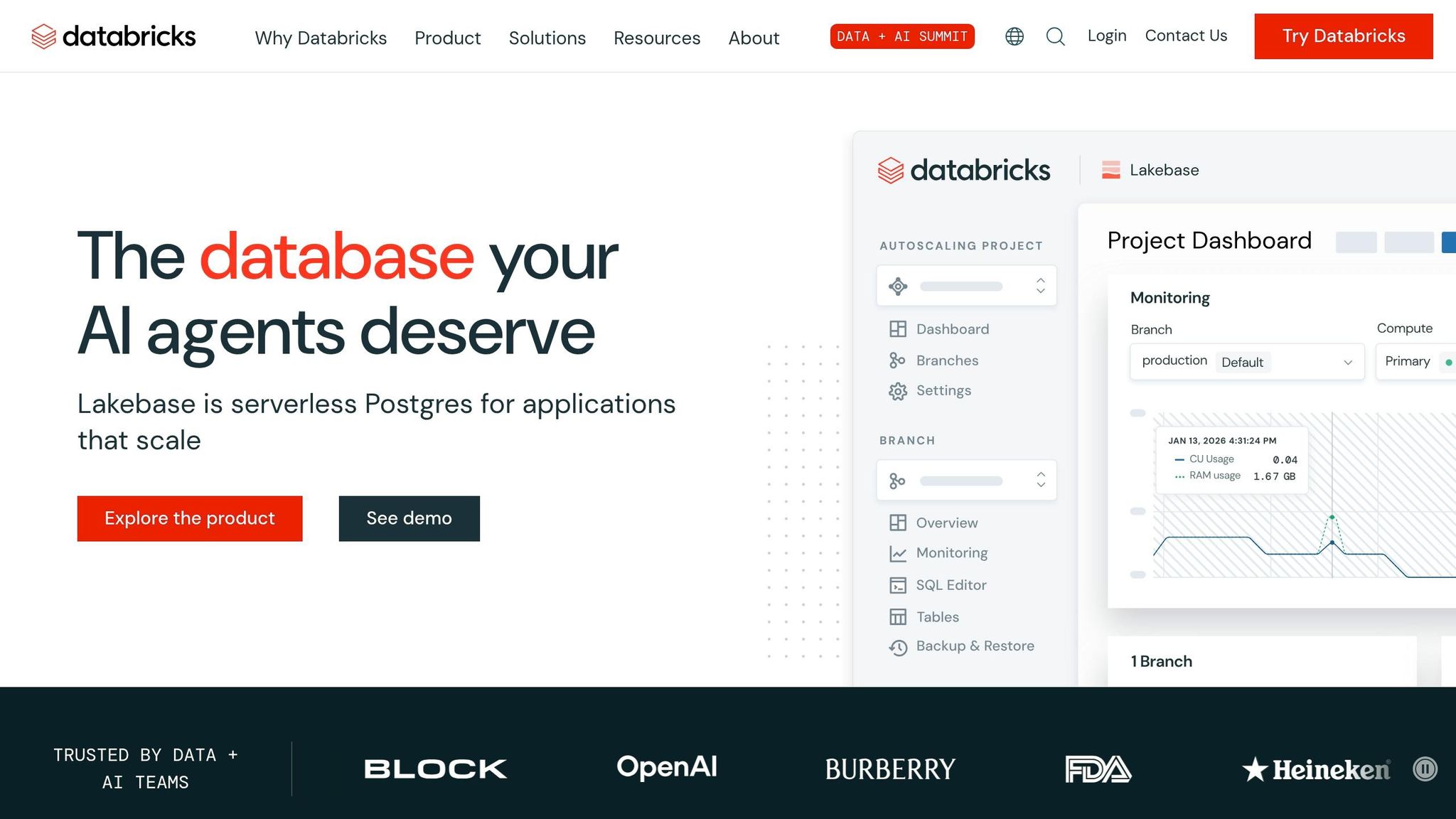
Databricks is designed for engineering-driven teams. Its Spark-native architecture is ideal for machine learning (ML) training, real-time streaming, and building complex Python or Scala pipelines. At the heart of its offering is Delta Lake, which brings ACID transactions to object storage, and Unity Catalog, which unifies governance across data and AI assets.
For ML workflows, Databricks stands out. Its Mosaic AI and built-in MLflow integration make it a top pick, earning a 4.8/5 rating for ML integration in production evaluations. On the query side, the Photon engine shines with complex operations involving joins and aggregations. However, this power comes with trade-offs: managing clusters requires Spark expertise, and annual costs for a 50 TB workload range between $200K and $400K. Databricks achieved a $4.8B revenue run rate in 2026, growing 55% year-over-year, highlighting its widespread adoption.
"Databricks is what happens when data engineers and ML practitioners finally get a platform built with them in mind." - Sawaat
On the other hand, Snowflake Data Cloud caters to teams focused on simplicity and minimal overhead.
Snowflake Data Cloud
Snowflake emphasizes ease of use, offering a SQL-first interface and requiring very little administration. Its Virtual Warehouses, which are independent compute clusters, scale instantly, making it a great choice for high-concurrency BI tasks and ad-hoc reporting. In production evaluations, it scored 4.5/5 for SQL performance.
While originally a data warehouse, Snowflake has steadily moved into lakehouse territory. In May 2026, it introduced native Apache Iceberg v3 support, and its Cortex AI now integrates GPT-5.2 for AI workloads at a flat $2 per credit, which can be up to 80% cheaper than standard compute rates for high-tier customers. Costs for a 50 TB workload range between $180K and $350K annually. Interestingly, 52% of Snowflake customers also use Databricks as of June 2025, demonstrating how these platforms are often complementary rather than direct competitors.
"Snowflake exists for teams that just want it to work... without a six-person platform team." - Sawaat
Other Leading Platforms
For teams already aligned with a specific cloud provider, native cloud options may offer unique advantages. Here’s a quick comparison of three major alternatives:
| Platform | Best For | Key Strength | Notable Limitation |
|---|---|---|---|
| Google BigQuery | GCP-native teams; spiky workloads | Bundled Gemini AI; serverless design; "Data Engineering Agent" for automation | GCP lock-in; unpredictable costs at $6.25 per TB scanned |
| Amazon Redshift | AWS-native teams; steady-state SQL | Zero-ETL for 23 sources; up to 10x better price-performance with Multidimensional Data Layouts | AWS-only; limited multi-cloud flexibility |
| Microsoft Azure Synapse | Microsoft-ecosystem enterprises | Deep Power BI integration; T-SQL familiarity; OneLake enables cross-cloud querying without data movement | Best value only for Azure/Microsoft users |
Choosing the right platform often depends on where your data resides. As one lead architect succinctly put it:
"Platform choice is an architecture decision, not a feature comparison. The right platform depends on your cloud strategy, team skills, and workload mix - not benchmark scores." - Dmytro Shein, Lead Architect, Sphere
sbb-itb-61a6e59
Open and Emerging Data Lakehouse Tools
Not every team wants to commit to a single vendor's ecosystem. For organizations focused on flexibility, cost management, or multi-cloud setups, a growing number of open and emerging tools provide an alternative to fully managed platforms. These tools help reduce vendor lock-in while addressing concerns around cost and governance.
These solutions build on open-source advancements, offering flexibility that goes beyond traditional managed platforms.
Dremio and Starburst
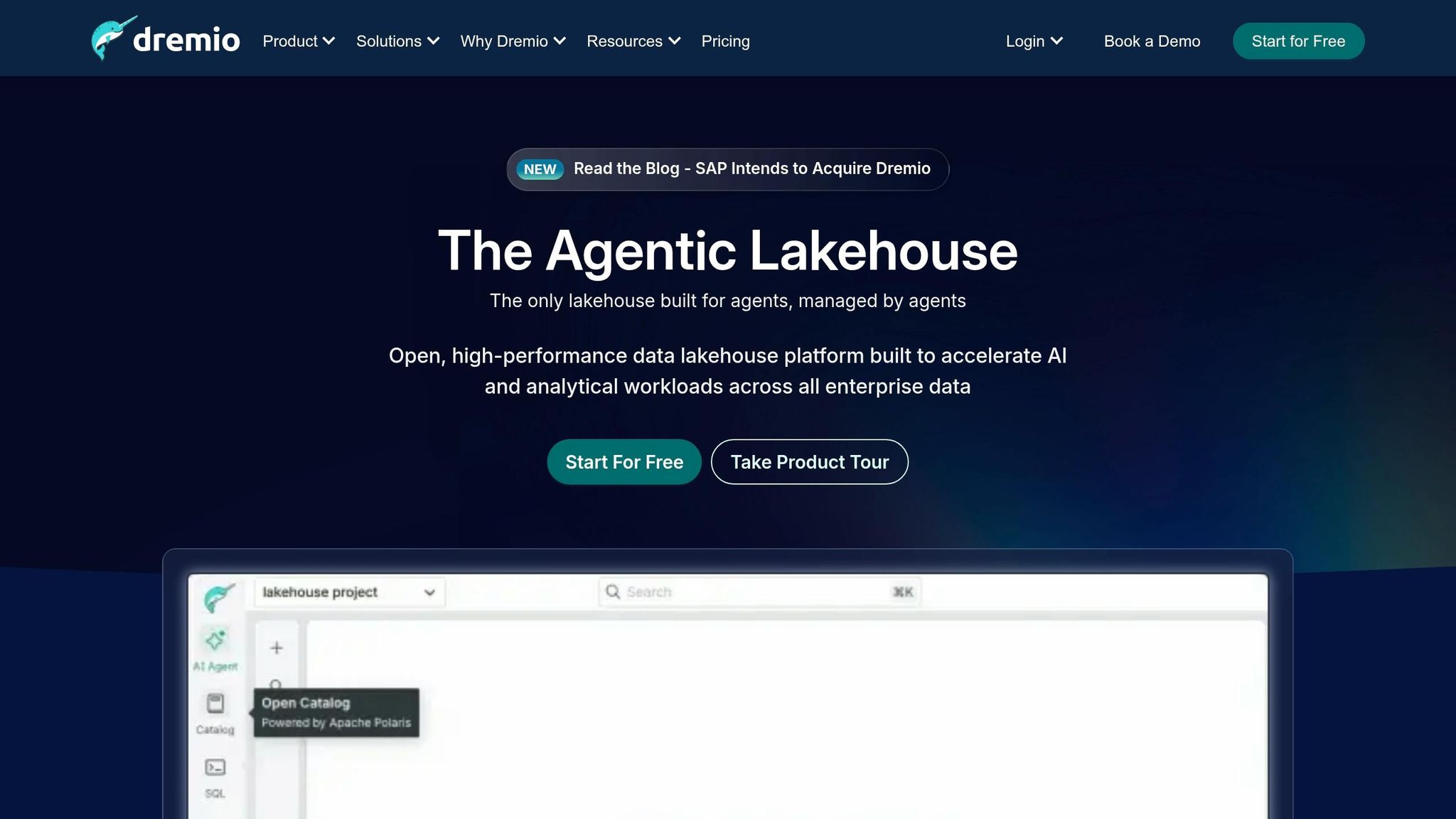
Dremio enables SQL analytics directly on open data lakes like Amazon S3, Azure Data Lake Storage, and Google Cloud Storage - without requiring proprietary duplication. It’s designed to work natively with Apache Iceberg and includes features like "Agentic Lakehouse", which uses AI to automate query acceleration and data exploration. If your team needs fast SQL performance without the overhead of a managed warehouse, Dremio is worth exploring. New users can try Dremio Cloud for free for 30 days.
Starburst, on the other hand, focuses on federated analytics. Built on the open-source Trino engine, it allows querying across more than 50 data sources - ranging from modern systems to legacy databases - without needing to move the data. Its "Icehouse" architecture combines Trino's compute engine with Apache Iceberg's table format. In 2026, Yello transitioned to a Starburst and Iceberg setup, cutting compute costs by a factor of 12 and simplifying operations.
"The move to Starburst and Iceberg has resulted in a 12× reduction in compute costs versus our previous data warehouse." - Peter Lim, Sr. Data Engineer, Yello
While platforms like Snowflake and Databricks prioritize ease of management or machine learning integration, Dremio and Starburst emphasize openness. They allow you to query data in its native format, reducing the risk of being locked into a single vendor.
These tools highlight how open-source solutions can create scalable and adaptable analytics environments, often discussed when choosing between data engineer bootcamps to master these technologies.
Open-Source Components
Modern lakehouses are built on key open-source technologies, which form the backbone of unified data strategies for analytics and AI. Aspiring professionals can follow a data engineering roadmap to learn how these components integrate into modern stacks.
Apache Iceberg has emerged as the table format standard by 2026, with native support from platforms like AWS, Snowflake, and Databricks. It ensures ACID compliance and allows multi-engine access without the need for data duplication. For new data platforms, Iceberg is the default choice unless specific needs dictate otherwise.
"Iceberg is what happens when you treat the table not as a folder of files but as a versioned data structure." - Daniil Lypenets, Full Stack Developer
Apache Hudi plays a complementary role by excelling in streaming-heavy workloads and change data capture (CDC). Its mature record-level merge-on-read capabilities make it a top choice for such scenarios. For example, Uber uses Hudi to manage over 4,000 tables and several petabytes of data, cutting data ingestion times from hours to under 30 minutes. MinIO also contributes to this ecosystem as a leading open-source option for on-premises or hybrid cloud object storage.
That said, self-managed lakehouses require active upkeep. Tasks like regular compaction and snapshot expiration are necessary to prevent issues like throttling S3 LIST operations and to maintain efficient query planning.
The catalog layer is where the real competition is heating up in 2026. With Iceberg now established as the standard table format, the focus has shifted to metadata management solutions like Apache Polaris, Project Nessie, and AWS Glue. According to a January 2026 survey, adoption remains fragmented: AWS Glue leads with 39%, followed by Nessie (29%), S3 Tables (25%), Polaris (21%), and Hive Metastore (18%). Choosing the right catalog solution is one of the most critical architectural decisions when building a custom lakehouse stack. These catalog tools are essential for ensuring your lakehouse setup remains adaptable in the long term.
Building Skills for Modern Data Platforms
To effectively work with modern data platforms, you need a mix of technical skills: SQL, Python, cloud infrastructure knowledge, and familiarity with open data formats. These skills are essential for navigating unified data environments and managing production-level tasks.
Skills Needed to Work with These Tools
First and foremost, SQL is non-negotiable. Whether you're crafting transformations in dbt, querying Snowflake, or analyzing data in Databricks, being fluent in SQL is indispensable. On top of that, Python plays a crucial role in tying everything together. It’s used for orchestrating workflows with tools like Airflow or Dagster, building machine learning feature stores, and performing data quality checks.
A solid understanding of cloud infrastructure is just as important. Knowing how cloud storage works directly impacts not only query performance but also how much you spend each month. Additionally, familiarity with Apache Iceberg - a key component in modern lakehouse setups - is becoming a must-have skill.
Here’s a quick breakdown of the essential skill areas and their associated tools:
| Skill Category | Essential Skills | Relevant Tools |
|---|---|---|
| Languages | SQL, Python | dbt, PySpark, Polars |
| Storage & Formats | Cloud object storage, open data formats | S3/ADLS, Apache Iceberg, Delta Lake |
| Orchestration | DAG management, asset-based workflows | Apache Airflow, Dagster, Prefect |
| Governance | Metadata, lineage, access control | Unity Catalog, Polaris, Microsoft Purview |
| AI/ML | Embedding pipelines, vector storage | LangChain, Pinecone, MLflow |
One area that often surprises professionals is FinOps. Managing costs for platforms like Snowflake and Databricks can be tricky without tools that provide query-level cost attribution and proper planning for resource commitments. Mastering these financial operations is critical for optimizing platform usage.
"Modern data engineering is about composing the right combination of tools for your team, maturity, and workload." - Paul Francis, Uvik Software
Structured training is the best way to turn these skills into production-ready expertise.
How DataExpert.io Academy Can Help
Closing the skills gap is essential to fully utilize platforms like Databricks, Snowflake, and AWS. That’s where DataExpert.io Academy comes in. Founded by Zach Wilson, the Academy offers targeted programs designed for the tools covered in this discussion. Instead of focusing on theory alone, the courses emphasize real-world application through hands-on projects.
The Academy provides options like a 15-week Data and AI Engineering Challenge, Data Engineering and Analytics Engineering Boot Camps, and an All-Access Subscription for self-paced learning. These programs are designed to simulate real production environments, with features like capstone projects and real-time pipeline training. For example, teams trained in Python-native data quality and observability tools - skills taught by the Academy - are able to detect data failures 3.9 times faster and resolve issues 2.8 times faster than teams without automated monitoring. That’s the difference between catching a problem in 12 minutes versus 47 minutes in a live environment.
Conclusion: Picking the Right Tool for Your Needs
There’s no one-size-fits-all solution when it comes to data platforms - it all depends on your team’s needs, the type of data you’re working with, and your specific goals. For teams focused on SQL-based analytics, platforms like Snowflake or BigQuery tend to shine. On the other hand, if machine learning is a major part of your operations, Databricks often delivers better results. If your data primarily lives in Amazon S3, Redshift or Databricks on AWS could be strong contenders. For those already embedded in Google Cloud, BigQuery offers a streamlined experience.
"The best data stack is the simplest one that solves your actual problems. Each additional tool must address an existing pain point." - Egor Burlakov, Engineering and Science Leader
The key is to start small and keep things manageable. For those just starting out, a free data engineering boot camp can provide the foundational skills needed to build these stacks. Focus on building around four essentials: an ingestion tool, a data warehouse or lakehouse, a transformation layer like dbt, and a BI tool. Only add more tools or layers when absolutely necessary. Before committing to a platform, it’s smart to run a proof-of-concept. Test with real production queries to evaluate costs per query and how well the system handles concurrency under heavy use.
Another critical factor to keep in mind is future flexibility. It’s easy to overlook exit strategies when choosing a platform, but they’re important. Make sure any vendor agreement includes a clear data export policy, ideally allowing a full historical export within 90 days if you decide to switch providers. Opting for open formats like Apache Iceberg can also help you maintain flexibility without compromising on performance.
FAQs
When should I choose a lakehouse over a warehouse?
A lakehouse is the go-to solution when you need to bring together data engineering, machine learning, and BI reporting on a single platform. By doing so, it eliminates data silos and avoids the hassle of redundant storage. This setup is perfect for scenarios requiring high-performance SQL analytics alongside data science tasks or streaming workloads.
If juggling separate systems feels too expensive or overly complicated, a lakehouse can simplify everything. It provides a scalable and cost-efficient way to manage your data needs. For those looking to get hands-on experience, DataExpert.io Academy offers practical training with tools like Databricks and Snowflake to help you make the most of these platforms.
How can I estimate real costs before committing?
Estimating cloud costs can feel like navigating a maze, thanks to the variety of pricing models that depend on factors like compute power, storage needs, and region-specific rates. To get a clear picture of expenses, start by analyzing your workload and how often you'll be running queries.
Take advantage of provider calculators to compare regional pricing and uncover potential hidden fees. These can include data egress charges, storage lifecycle costs, and even infrastructure-related expenses.
If your workload fluctuates, an on-demand pricing model might be the best fit. But for more predictable, steady workloads, committing to reserved compute options could save you money in the long run.
Which open table format should I standardize on?
In today's data-driven world, adopting a standardized open table format is essential for building efficient and flexible data architectures. One format that's gaining widespread recognition is Apache Iceberg, which is expected to be the go-to choice by 2026. Major platforms like Snowflake, Databricks, and BigQuery already support it, making it a reliable option for many organizations. Its key strength lies in offering storage and compute independence while delivering high-performance querying capabilities.
That said, there are other formats worth considering based on specific needs:
- Delta Lake: Best suited for workloads that heavily rely on machine learning and real-time streaming.
- Apache Hudi: A great choice for use cases involving incremental data processing and frequent upserts.
For those looking to deepen their expertise, DataExpert.io Academy provides hands-on training to help professionals master these cutting-edge technologies.