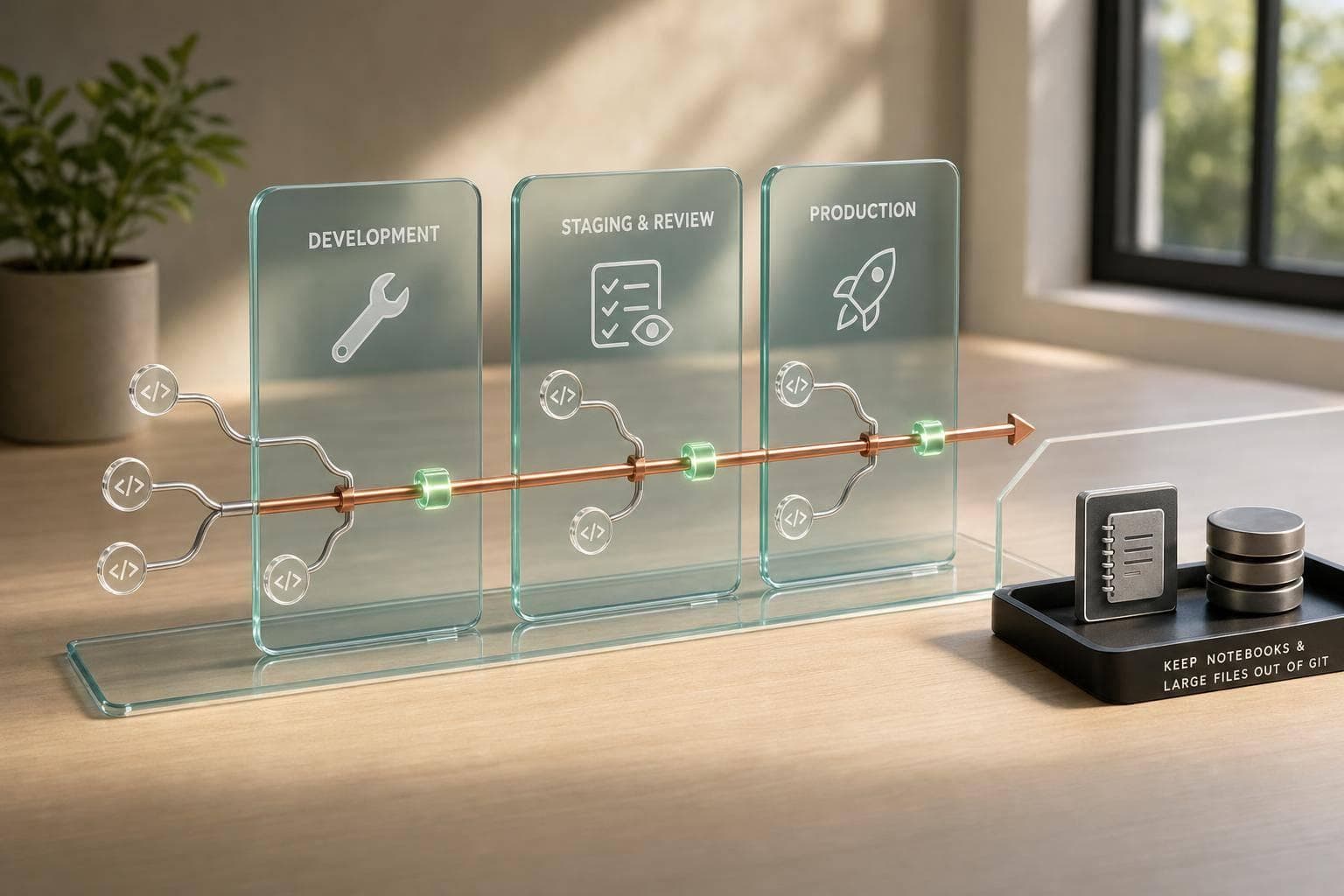
Git Workflows for Data Teams
If your data team uses Git without clear rules, small mistakes can turn into broken pipelines, schema clashes, and notebook mess fast.
I’d boil the article down to this: pick one branch model, keep branches short-lived, require reviews and CI checks, map code to Dev, Stage, and Prod, and keep notebooks, data files, and ML artifacts under control. That covers the main risk areas for dbt, Airflow, Dagster, SQL, and ML work.
Here’s the short version:
- I should choose a branch model based on release pace, team size, and experiment-heavy work
- I can use Gitflow for scheduled releases and more branch control
- I can use GitHub Flow for frequent analytics and BI updates
- I should keep experiment branches separate for notebooks and ML work
- I should make commits small and PRs easy to review
- I should run checks for dbt, data quality, orchestration, linting, tests, and notebook cleanup
- I should map branches to Dev, Stage, and Prod
- I should document branch names, review ownership, merge rules, and repo structure
- I should keep large files out of Git and use tools like DVC, plus Docker and infrastructure as code for repeatable setup
A useful fact here: teams that skip review rules and branch protection often end up with noisy diffs, unclear ownership, and broken jobs that take hours to trace back. In notebook-heavy repos, even one output-filled commit can hide the code change that matters.
Collaborative Data Engineering with Git
Quick Comparison
| Workflow | Best for | Branch setup | Release style | Main tradeoff |
|---|---|---|---|---|
| Gitflow | Airflow, Dagster, scheduled data releases | main, develop, feature, release, hotfix |
Planned releases | More process |
| GitHub Flow | Analytics, BI, small dbt updates | main + short-lived branches |
Continuous merges | Less control for complex release flows |
| Experiment Branches | Notebooks, EDA, ML tuning | Separate branch type | Merge only after validation | Work can drift if not cleaned up |
My main takeaway: keep the workflow simple, written down, and tied to how your team ships data work day to day.
Choose the Right Branching Strategy for Your Team
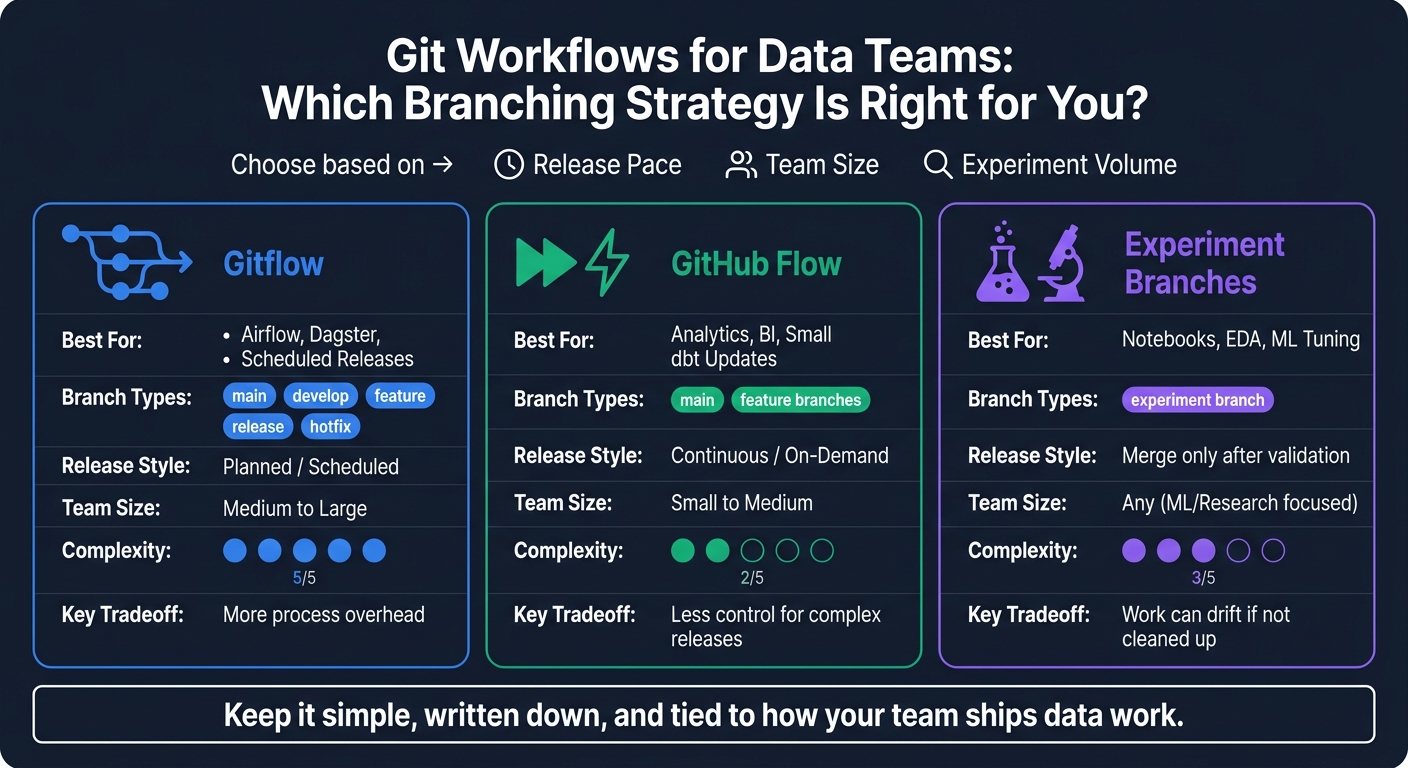
Git Workflows for Data Teams: Gitflow vs GitHub Flow vs Experiment Branches
Pick a branching model based on three things: how often you release, how many environments you manage, and how much experimental work your team does. If release control matters most, Gitflow is usually the better fit.
Gitflow for Complex Pipelines and Scheduled Releases
Gitflow uses five branch types: main, develop, feature, release, and hotfix. For data teams running Airflow or Dagster, that separation helps keep scheduled pipelines steady. develop maps to staging, main mirrors production, and hotfix branches give you a fast lane for broken jobs without waiting for the next release window.
| Branch Type | Primary Use in Data Teams | Typical Lifetime | Pros | Cons |
|---|---|---|---|---|
| Main | Production-ready DAGs and dbt models | Permanent | Maximum stability | Slowest to update |
| Develop | Integration testing for new pipelines | Permanent | Catch errors before prod | Can become a bottleneck |
| Feature | New SQL models or Python transforms | Short-lived (days) | Isolated development | Merge conflicts in large teams |
| Release | Final QA for scheduled data releases | Medium-lived | Clean versioning | Overhead for small fixes |
| Hotfix | Urgent fixes for broken production jobs | Very short-lived (hours) | Rapid recovery | Bypasses standard QA |
Gitflow makes the most sense when your pipeline has a lot of moving parts and releases happen on a set schedule. It adds process, yes, but that process can save you from pushing unstable DAGs or half-tested dbt changes into production.
If your team ships smaller updates more often, GitHub Flow is the lighter path.
GitHub Flow for Faster Analytics and BI Delivery
GitHub Flow keeps things simple: main plus short-lived feature branches. A developer creates a branch, makes changes, opens a pull request, gets a review, and merges straight into main. It’s fast, easy to explain, and easy to follow.
This setup works well for teams making frequent, lower-risk updates, like dashboard logic, light SQL model edits, or small dbt transformations. It cuts out the extra branch management that can slow down day-to-day analytics work. When the work turns more exploratory, move it into an experiment branch instead of forcing it through the same path as production-ready code.
| Feature | Gitflow | GitHub Flow |
|---|---|---|
| Release Cadence | Scheduled (e.g., weekly pipeline updates) | Continuous/on-demand (e.g., daily BI fixes) |
| Env Complexity | High (Dev, Stage, Prod, Hotfix) | Low (Feature → Main/Prod) |
| ML Suitability | Better for stable model deployment | Better for rapid model iteration |
| Ease of Adoption | Moderate (requires strict discipline) | High (simple and intuitive) |
| Best For | Complex pipelines (Airflow, Dagster) | Fast analytics and BI (dbt, SQL) |
Experiment Branches for Notebooks and ML Work
For notebooks and ML research, use a separate branch type. Experiment branches give analysts and ML engineers room to work through notebook-heavy exploration, hyperparameter tuning, and EDA without mixing that work into production code too early.
Once an experiment produces validated results, merge that work back into main as modular, reproducible code. Only merge validated, reproducible code back into the main branch. That way, useful work doesn’t stay stuck in a one-off notebook that nobody else can run or maintain.
sbb-itb-61a6e59
Daily Git Practices That Keep Data Projects Stable
A branching strategy sets the rules. Daily Git habits are what keep the whole thing from drifting off the rails.
Once you pick a branching model, back it up with small commits, PRs people can actually review, and environment checks before anything lands in a shared branch.
Write Clean Commits and Handle Notebooks Carefully
Each commit should cover one logical change. That sounds simple, but it makes a huge difference when you need to review code, trace a bug, or roll something back.
Notebooks tend to be the messiest part of a data repo. They mix code, output, charts, and state all in one file, which makes diffs painful to read. A better approach is to clear notebook outputs before committing. And if a notebook is part of production work, convert it to .py so the diff stays readable and the code is easier to track.
You should also keep raw data and binary artifacts out of Git with .gitignore. For large datasets and model artifacts, use DVC. Git then stores pointers instead of the files themselves.
Build Pull Requests Around Data Changes
A data PR needs context. Reviewers should be able to tell what changed in the schema, what changed in the logic, and how the pipeline might be affected.
A solid PR usually triggers a set of checks in review or CI:
| Check Type | Tool or Implementation | What It Validates |
|---|---|---|
| Data Quality | Great Expectations / Soda | Data integrity, schema constraints, and distribution |
| SQL Transformation | dbt | SQL logic, model lineage, and schema changes |
| Artifact Versioning | DVC | Integrity of large datasets and ML model artifacts |
| Orchestration | Dagster / Prefect / Airflow | Workflow dependencies and pipeline configuration |
| Code Quality | GitHub Actions | Linting, unit tests, and notebook cleanliness |
CI checks make these reviews repeatable. Instead of relying on memory or gut feel, the same rules run every time.
Map Branches to Dev, Stage, and Prod Environments
Your Git workflow should line up with Dev, Stage, and Prod so changes get checked before they hit shared branches.
In practice, that means running dbt tests, orchestration checks, and deployment validation in CI before merge. Then protect the target branch so those checks must pass before anyone can merge.
Set Team Standards for Collaboration and Reproducibility
Write down branch names, review rules, and merge policies before the team gets bigger. Tiny differences don’t stay tiny for long. One person names a branch one way, another reviews code in a different way, and pretty soon the workflow feels messy.
Once those rules exist, lock down how the team names work, reviews changes, and rebuilds environments.
Standardize Branch Names, Reviews, and Merge Rules
A simple branch naming pattern helps more than most teams expect. Prefixes make the purpose clear right away: feature/dbt-orders-model for new work, hotfix/fix-null-revenue for urgent production fixes, and experiment/llm-tuning-v2 for ML or prompt-testing work. If someone scans the branch list, they can see what’s live and why without digging around.
Reviews should follow domain ownership. That keeps feedback focused and cuts down on confusion.
- Analytics engineers review dbt models.
- Data engineers review ingestion and orchestration.
Version Data, Environments, and Infrastructure as Code
Process rules only work if the codebase and environment can be reproduced. Pin the runtime with a Dockerfile. Automate setup with a Makefile. Store large data files and model artifacts outside Git. Manage cloud resources as infrastructure as code so the full stack can be rebuilt when needed.
If a teammate has to “guess” how to get a project running, the setup isn’t solid yet.
Monorepo vs. Multiple Repos: How to Decide
After workflow rules are set, choose a repo structure that fits team ownership and release pace. The main factors are team size, coupling, and CI/CD overhead.
| Repo Strategy | Description | Best Fit | Main Drawback |
|---|---|---|---|
| Monorepo | One repo for ingestion, transformation, and ML. | Small to mid-sized teams; tightly coupled pipelines. | CI/CD pipelines slow down; permission management gets difficult. |
| Multiple Repos | Separate repos for ingestion, dbt models, and ML services. | Large organizations; distinct data, analytics, and AI teams. | Harder to track changes across the full lineage; fragmented documentation. |
Use a monorepo when pipelines are tightly linked. Split repos when teams or release cycles start pulling in different directions.
Conclusion: A Practical Git Workflow for Modern Data Teams
A practical Git workflow comes down to five basics: pick one branching model, require reviews and tests, map branches to environments, and document collaboration rules.
Use these five standards as your starting point.
Minimum Standards Every Team Should Adopt First
Start with the basics that keep work moving and cut down on avoidable mistakes:
- Short-lived branches that merge quickly
- Domain-specific reviews: analytics engineers review dbt models; data engineers review ingestion code
- Automated checks for notebook hygiene and unit tests
- Branch-to-environment mapping for Dev, Stage, and Prod
- Reproducible environments with Docker and infrastructure as code
Adopt these first. Add complexity only after the basics are stable. Everything else is optional.
FAQs
How do I choose between Gitflow and GitHub Flow?
It comes down to how your team ships code and how often you deploy.
Gitflow uses several long-lived branches. That setup tends to work well for strict release cycles and teams that need tighter control over versioning. If releases follow a set schedule and the process has more moving parts, Gitflow usually makes more sense.
GitHub Flow is much simpler. You create feature branches and merge them back into the main branch when they’re ready. That lighter setup is often a better match for continuous delivery and teams that want to move fast and iterate often.
When should I use experiment branches?
Use experiment branches to test new features, try different model architectures, or run complex data transformations without touching stable production code.
They give you a separate space to iterate safely. Once you validate the approach or finish a successful proof of concept, merge the results back into your main workflow.
What CI checks matter most for data teams?
The most important CI checks for data teams are code unit tests, configuration validation before execution, and automated dbt tests like unique, not_null, accepted_values, and relationships. These checks help catch data quality problems early, before they spread downstream.
It also helps to verify required dependencies, such as requirements.txt or Dockerfiles, so runs stay reproducible across machines and environments. On top of that, Slim CI and test severity thresholds can reduce the risk of cascading failures when something breaks.